Baking
The Baking Camera is used to bake textures and illumination into new texture maps for scene optimization (figure 1).
|
|
Baking Camera
|

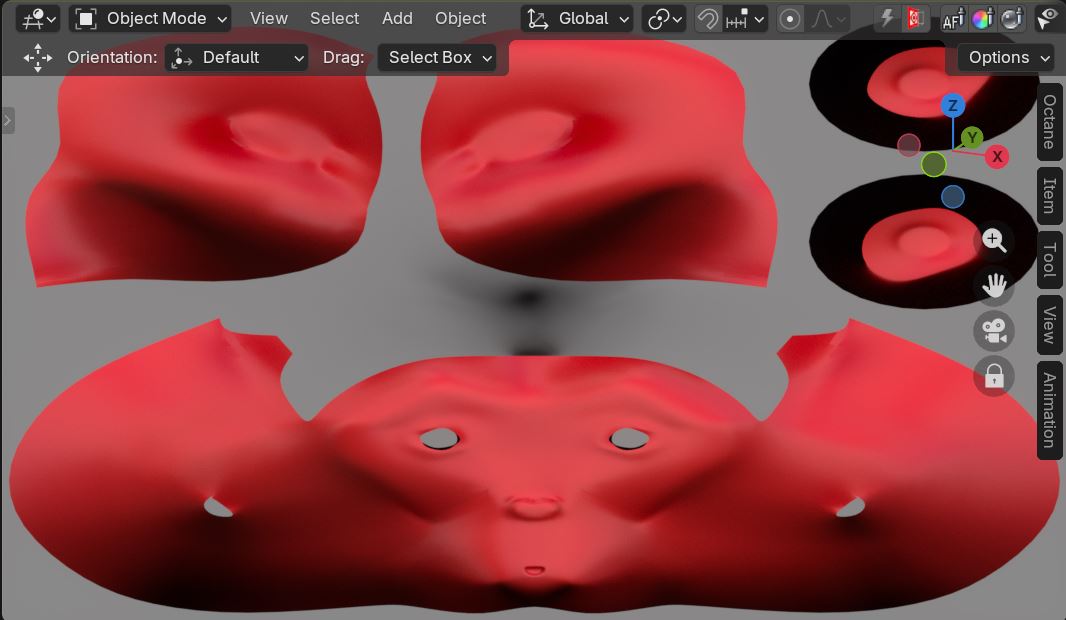
Figure 1: Suzanne model rendered using the Baking Camera
|
|
Baking Camera
|

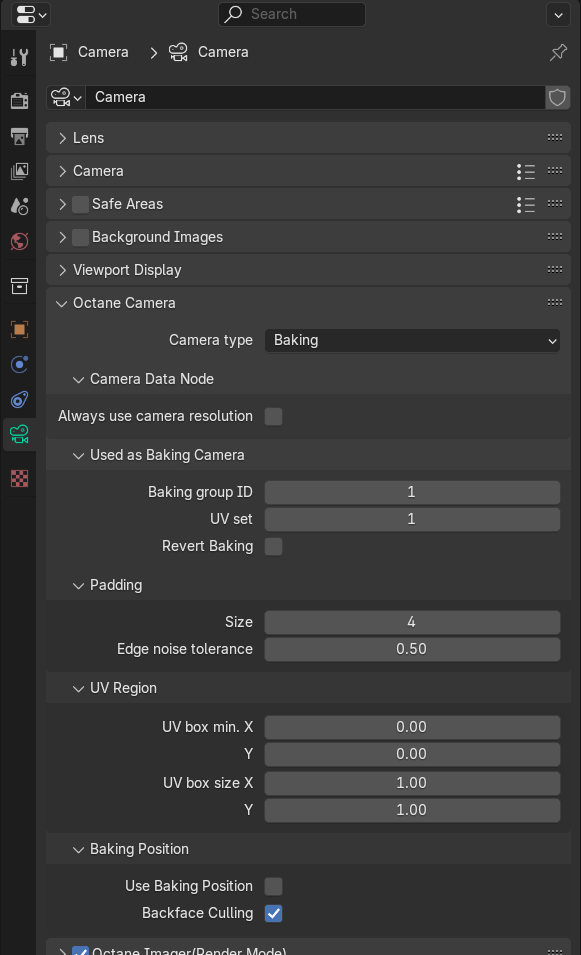
Figure 1: Baking Camera Parameters
Baking Camera Parameters
Camera Data Node
Always use camera resolution - Used the camera view resolution in preview.
Used as Baking Camera
Baking Group ID - Specifies the group ID to bake. By default, all objects belong to the default baking group number 1.
UV Set - This determines the UV coordinates to use for baking.
Revert Baking - Flips the camera directions.
Padding
Size - The number of pixels added to the UV map edges. The padding size is specified in pixels. The default padding size is set to 4 pixels, with 0 being the minimum and 16 being the maximum size.
|
|
Padding Size
|


Figure 2: A comparison of different padding settings in the Baking camera
Edge Noise Tolerance - Helps remove hot pixels appearing near the UV edges. Values close to 1 do not remove any hot pixels, while values near 0 attempts to remove them all.
UV Region
UV Box Min. X and Y - The coordinates in UV space for the origin of the bounding region for baking.
UV Box Size X and Y - This is the size in UV space of the bounding region for baking.
Baking Position
Use Baking Position - Uses the position for baking position-dependent artifacts.
Backface Culling - This determines whether to bake back-facing geometry.