Interface Layout
The default interface consists of four main windows (figure 1). The interface is customizable as described in the Customizing the Interface section.
|
|
Interface Layout
|

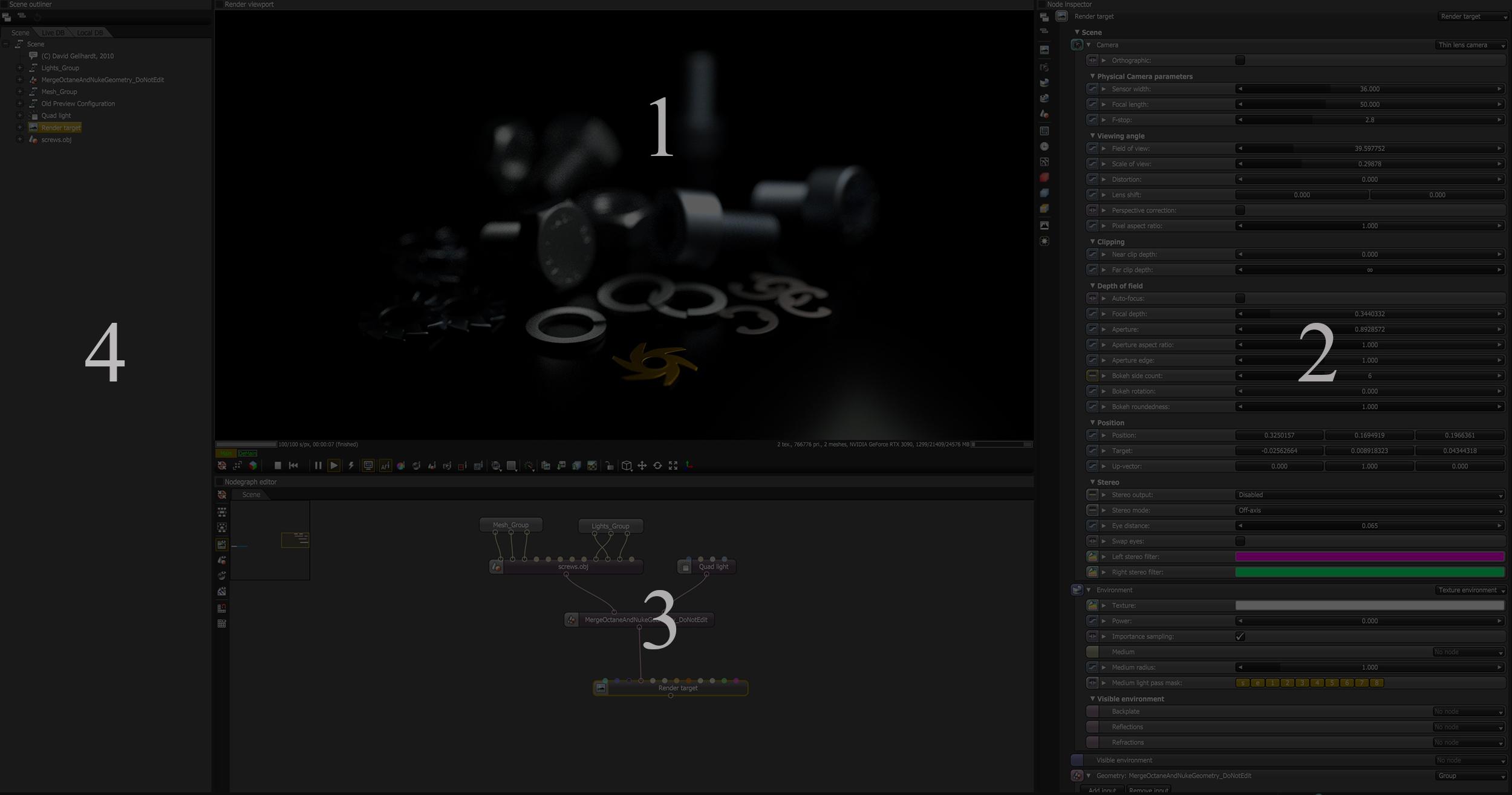
Figure 1: The four primary windows in the Standalone default configuration
1 - The Render Viewport - Updates the render, and you can adjust the materials, lights, and cameras in real-time, along with navigating the scene.
2 - The Node Inspector - Displays parameters for a selected node in the Node Graph Editor window.
3 - The Node Graph Editor - Scene objects are represented by nodes, which can be edited in the Node Inspector window.
4 - The Scene Outliner - Provides an overview of all of the scene elements and access to the local and online node databases.
|
NOTE There is an Octane Standalone quickstart guide that can be found here. |