Fluids
OctaneRender® for Houdini® can render Houdini fluids as conventional polygonal meshes. Fluids animations are rendered with motion blur using the Houdini mesh velocity vectors.
OctaneRender fluids do not need interior surfaces to render specular materials, so you should disable the interior fluid's Mesh node to avoid rendering artifacts. After building your fluid material in the MAT network, you can set this material in the Material parameter of the Fluid object node (Figure 1).
|
|
Fluids
|

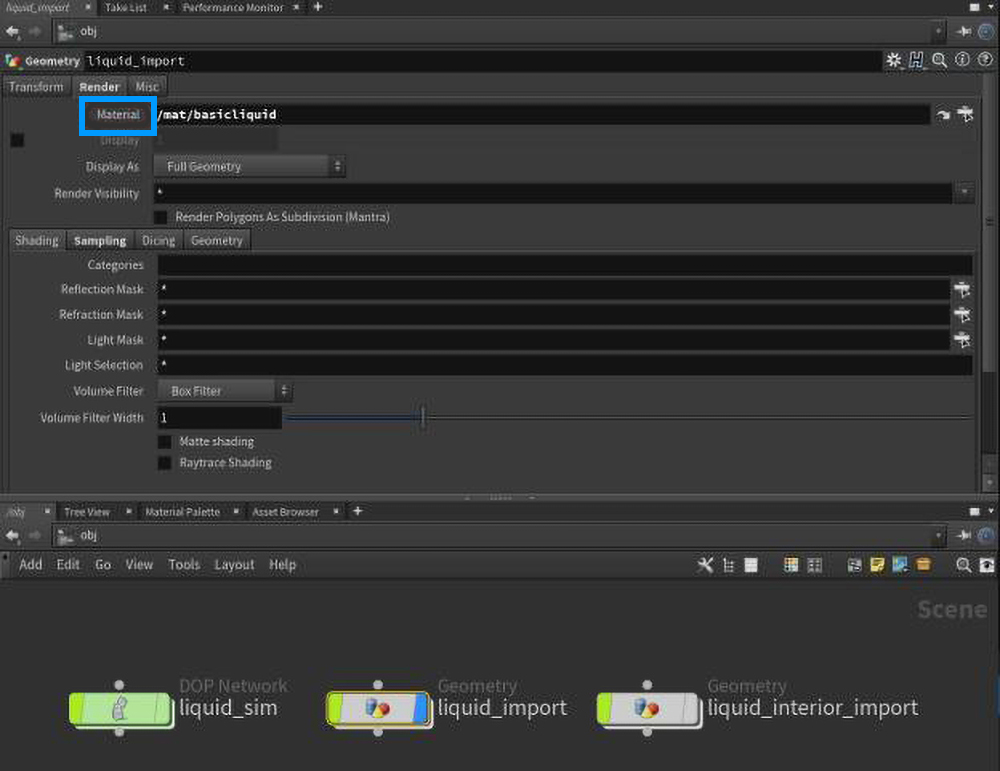
Figure 1: Applying a Material to a Houdini Fluid object
To render fluids, the resulting converted mesh needs to be Polygon. The Polygon Soup option is not supported. You need to enter the Fluid object node, locate the Convert node, and set the Conversion mode to Polygons (Figure 2).
|
|
Fluids
|

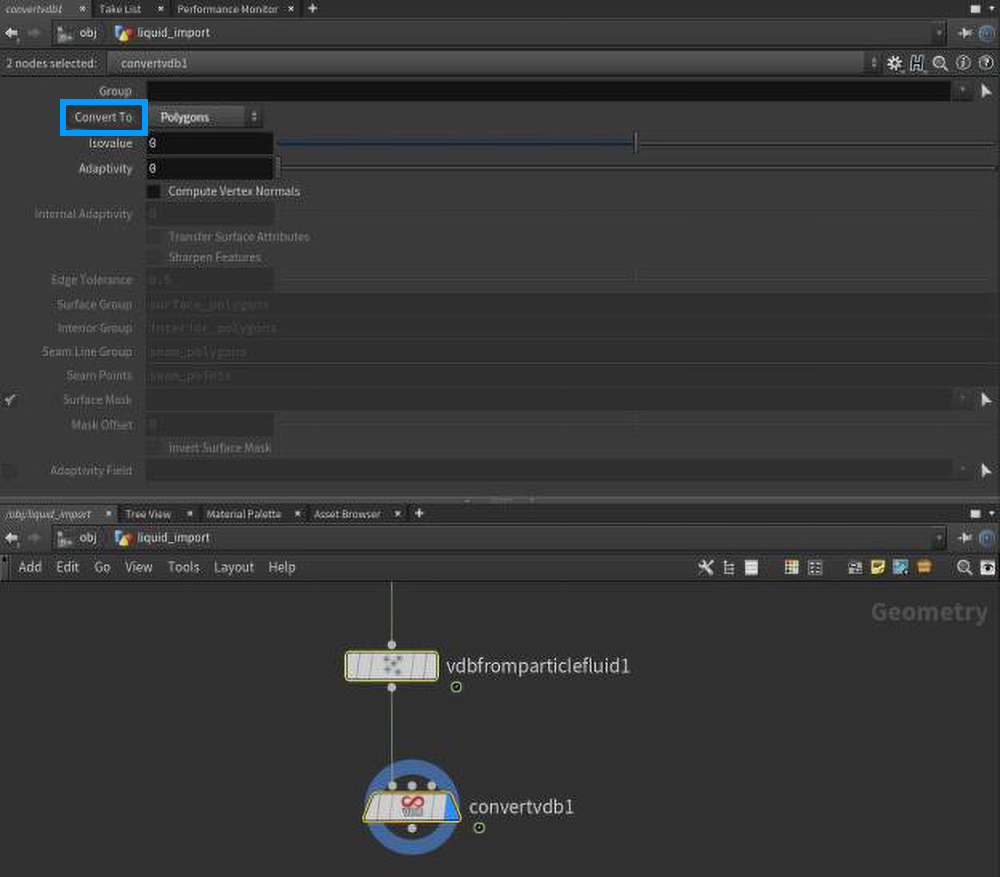
Figure 2: Setting the Conversion to Polygon in the Convert VDB node